Installing and setting up the BasisCars mobile.de plugin
The official guide to setting up BasisCars on your WordPress site. The plugin's admin screens are in German; menu paths in this documentation are therefore given as they appear on screen.
Installation
After downloading the ZIP archive you can install the plugin straight from your WordPress installation under Plugins → Add New → Upload Plugin. Then click Activate to make the BasisCars menu appear in your sidebar.
Requirements: your own WordPress installation, version 5.8 or later, with PHP 7.4 or later, at least 256 MB of PHP memory for large inventories, and the WordPress cron or a server cron job for the automatic sync.

Licence activation
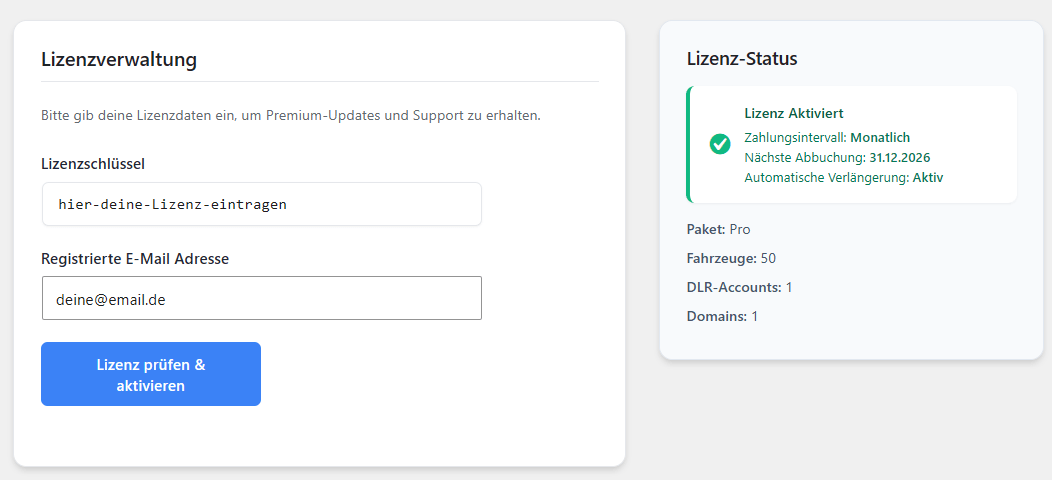
To unlock updates and the sync, go to the licence settings. Enter the licence key you received and the email address you registered with. A successful activation registers this domain on your licence. The plugin stays unlocked for as long as the licence is active. The plans are listed on the home page.
BasisCars → Einstellungen → Konto → Lizenzverwaltung
Connecting the mobile.de API: customer number and API password
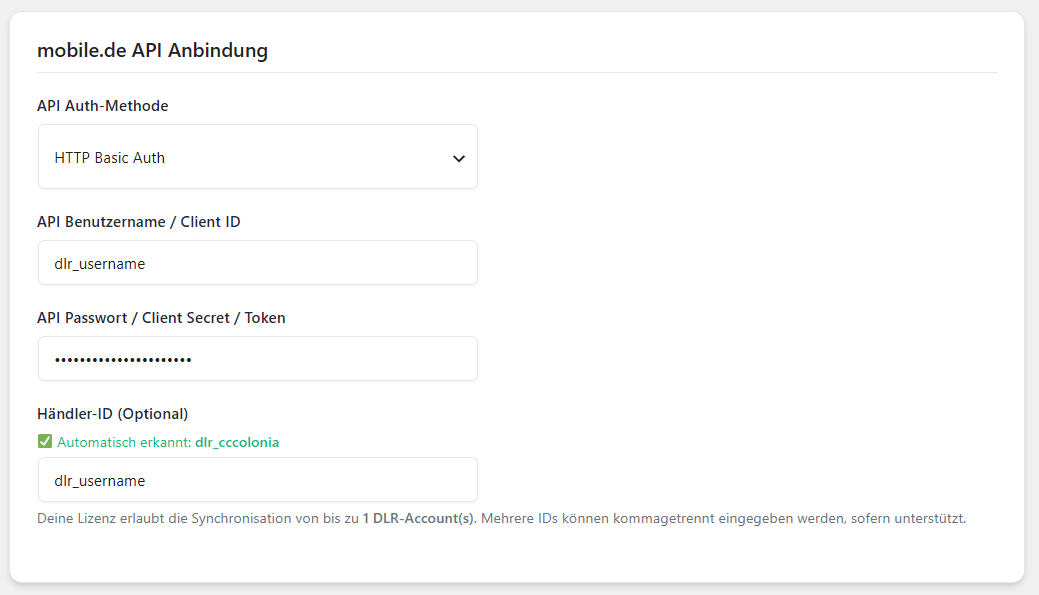
This is the most important step: enter your mobile.de credentials. The dealer ID is detected automatically. On the Profi plan you can enter up to ten dealer accounts (customer numbers) separated by commas to merge inventories, on the Enterprise plan an unlimited number.
Background on the interface, on access and on costs is in the guide to the mobile.de API.
BasisCars → Einstellungen → Bestand → mobile.de → API Anbindung
Automatic synchronisation (cron job)
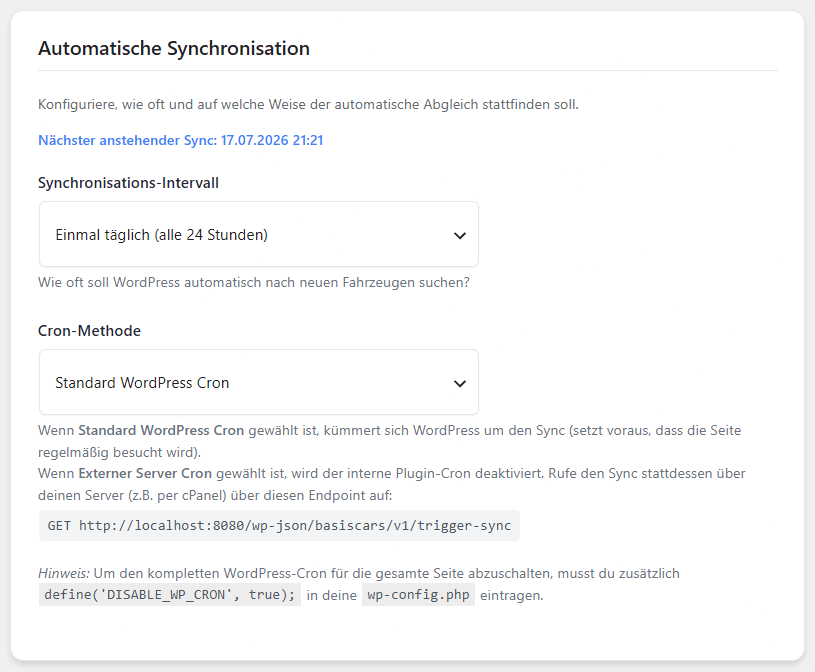
Set how often the automatic sync runs, hourly or daily for example. You can use the internal WordPress cron, which is simpler, or a real server cron, which is more reliable with large inventories.
BasisCars → Einstellungen → Übersicht → Automatische Synchronisation
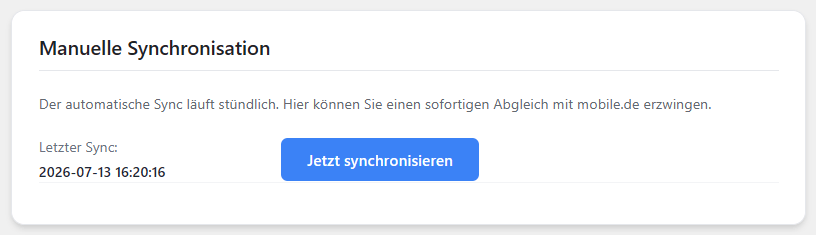
Manual synchronisation
Want to see a change you just made on mobile.de right away? Use the manual sync to run the comparison immediately instead of waiting for the next cron job.
BasisCars → Einstellungen → Übersicht → Manuelle Synchronisation
Safety limit
By default the plugin deletes at most 30% of your inventory in one run. This safeguard keeps an outage at mobile.de from wiping every car off your website by accident. Advanced users can override the limit.
BasisCars → Einstellungen → Bestand → mobile.de → Synchronisierung
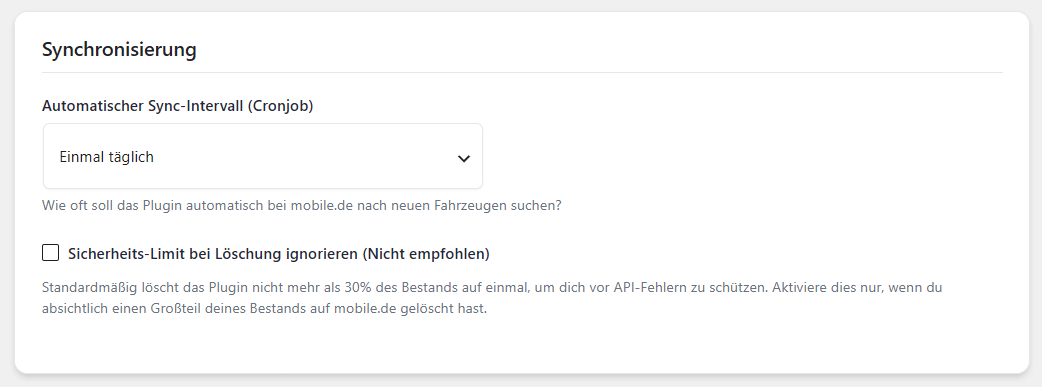
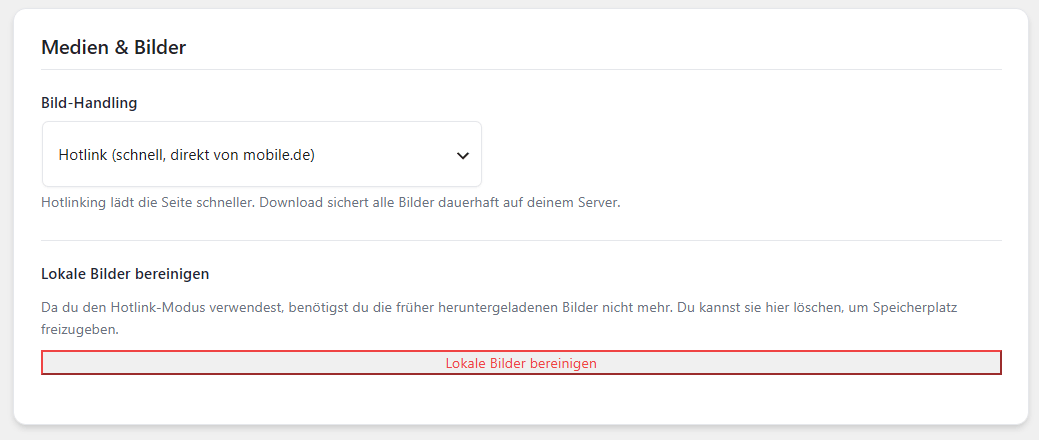
Image handling (hotlinking)
Hotlinking saves a great deal of disk space and keeps your site fast: images are not copied to your server but delivered straight from the mobile.de CDN. Note that this passes your visitors' IP addresses to mobile.de. That belongs in your privacy policy. Switch to media library download if you would rather keep everything on your own server.
BasisCars → Einstellungen → Bestand → mobile.de → Medien & Bilder
Vehicle list & URLs
The vehicle list lives on an ordinary WordPress page. Build it with Elementor, Divi or Gutenberg like any other page – BasisCars does not force a special route on you. Under BasisCars → Einstellungen → Darstellung → Seiten & Shortcodes you choose which page that is. Your vehicle URLs follow that page automatically.
| Chosen page | Your vehicle list | A single vehicle |
|---|---|---|
| Fahrzeuge | /fahrzeuge/ |
/fahrzeuge/bmw-320d/ |
| Fahrzeugauswahl | /fahrzeugauswahl/ |
/fahrzeugauswahl/bmw-320d/ |
| Inventory (under “Angebote”) | /angebote/bestand/ |
/angebote/bestand/bmw-320d/ |
The update handles it for you
If you already had a page at /fahrzeuge/, that exact page is used – no second one appears and no URL changes. If there was none, BasisCars creates the page “Fahrzeuge” with the shortcode [basiscars_grid]. You need to do nothing.
Move the page without losing visitors
Pick a different page later and every vehicle moves with it. The old URLs redirect permanently (301) to the new ones – for Google and for anyone linking to you. No .htaccess needed.
Your own pages underneath
Subpages such as /fahrzeuge/finanzierung/ or /fahrzeuge/probefahrt/ work exactly as usual. Only if a vehicle carries the same name does the vehicle win.
Breadcrumb back to the list
Every vehicle page shows the way back above the title: Fahrzeugauswahl › vehicle name, marked up with schema.org for Google. The vehicle itself is not a link, since it would point at the page you are already on. You can switch it off, on or move it under Einstellungen → Darstellung → Detailseite → Titelbereich. The filter basiscars_breadcrumb_items puts your own levels in front.
“(keine)”
If you want no fixed overview page at all, choose (keine), meaning none. Vehicles stay reachable at /fahrzeuge/<car>/ and you place the list by shortcode wherever you like. That choice sticks – nothing is created behind your back.
Linking to a filtered list
Every filter can be appended to the vehicle list URL as a parameter. That lets you link straight to a selection from your menu, an Elementor button or a brand logo:
/fahrzeuge/?make=BMW
/fahrzeuge/?make=BMW&fuel=DIESEL
/fahrzeuge/?category=OFFROAD&price_max=25000
/fahrzeuge/?make=VOLVO&sort=price_asc
| Parameter | Filters by | Example |
|---|---|---|
make | Make | BMW |
model | Model | 320d |
fuel * | Fuel | DIESEL |
category * | Body type | OFFROAD |
condition * | Condition | NEW |
color * | Exterior colour | BLACK |
price_min, price_max | Price in euros | 25000 |
mileage_min, mileage_max | Mileage | 50000 |
sort | Sort order | price_asc, price_desc, date_desc |
Parameters marked with * expect the raw value from mobile.de exactly as stored on the vehicle: ?fuel=DIESEL, not ?fuel=Diesel. You will find the list of values in the vehicle data section.
Since version 0.4.44 it works the other way round too: when a visitor clicks the filters, their selection appears in the address bar. They can copy it, send it on and bookmark it. Parameters that do not belong to the plugin, such as utm_source from a newsletter, are left untouched, and the paging position stays out: a shared link opens the filtered list from the top.
The filtered view still carries the canonical of the clean page URL. For Google it remains one page, however many filter links point at it.
For developers: the vehicle path can be set independently of the chosen page, through the filter basiscars_rewrite_slug. It overrides the setting. After changing it, save Settings → Permalinks once.
Shortcode cheat sheet
The most flexible way to use BasisCars. Copy a shortcode with one click and place it anywhere in your theme, in Gutenberg or in Elementor.
Vehicle grid / inventory
[basiscars_grid]
Embeds the complete vehicle list including filters – exactly what sits on your overview page. This is how it looks to visitors: Features.
Native search filter
[basiscars_search]
Places the AJAX search form (make, model, price, year, fuel) anywhere on the page.
Vehicle detail view
[basiscars_single]
Shows the full single-vehicle view including gallery, equipment list and PDF button.
Shortlist / saved cars
[basiscars_merkliste]
Embeds a personal shortlist where visitors find the cars they saved.
Vehicle data & custom fields (SEO, Yoast, page builders)
Every vehicle stores its data as WordPress custom fields – price, power, fuel, inspection date and around forty more. You can reach them anywhere WordPress knows get_post_meta(): in dynamic meta descriptions, in Elementor dynamic tags, in your own templates.
All field names are English and start with an underscore: the price is _basiscars_price. WordPress treats such fields as protected and hides them from the custom fields box – they are still there, you just need to know the name. That is what this list is for.
All fields
| Field | Contents | Example |
|---|---|---|
| Vehicle | ||
_basiscars_make | Make | SUZUKI |
_basiscars_model | Model | Swift |
_basiscars_model_description | Trim level as entered by the dealer | 1.2 Dualjet Hybrid Comfort |
_basiscars_location | Location | 53119 Bonn |
_basiscars_mobile_id | Listing number on mobile.de | 461420532 |
_basiscars_detail_url | URL of the listing on mobile.de | https://suchen.mobile.de/… |
| Price | ||
_basiscars_price | Gross price, unformatted | 20362 |
_basiscars_price_net | Net price | 17110.92 |
_basiscars_vat_rate | VAT rate in percent | 19 |
_basiscars_price_type | Price type | FIXED |
_basiscars_currency | Currency | EUR |
| Technical data | ||
_basiscars_power_ps | Power in hp (PS) | 82 |
_basiscars_power_kw | Power in kW | 60 |
_basiscars_mileage | Mileage | 5 |
_basiscars_cubic_capacity | Engine displacement in cm³ | 1197 |
_basiscars_fuel * | Fuel | PETROL |
_basiscars_gearbox * | Gearbox | AUTOMATIC_GEAR |
_basiscars_drive_type * | Drive type | FRONT |
_basiscars_door_count | Doors | 4 |
_basiscars_seat_count | Seats | 5 |
| Condition & history | ||
_basiscars_category * | Body type | OFFROAD |
_basiscars_condition * | Vehicle condition | NEW |
_basiscars_usage_type * | Usage type (demo, employee car…) | DEMONSTRATION |
_basiscars_first_reg | First registration | 2022-05 |
_basiscars_general_inspection | Roadworthiness test (HU) valid until | 2027-02 |
_basiscars_prev_owners | Previous owners | 1 |
_basiscars_accident_damaged | Accident vehicle (0 or 1) | 0 |
_basiscars_damage_unrepaired | Damage unrepaired (0 or 1) | 0 |
_basiscars_non_smoker | Non-smoker vehicle (0 or 1) | 1 |
_basiscars_warranty | Warranty (0 or 1) | 1 |
| Colour & interior | ||
_basiscars_color * | Exterior colour | GREY |
_basiscars_manufacturer_color | Manufacturer's name for the colour | Mineral Gray Metallic |
_basiscars_metallic | Metallic (0 or 1) | 1 |
_basiscars_interior_color * | Interior colour | BLACK |
_basiscars_interior_type * | Upholstery | FABRIC |
| Environment | ||
_basiscars_env_consumption_combined | Combined consumption | 4.5 |
_basiscars_env_co2 | CO₂ in g/km | 106 |
_basiscars_efficiency_class | CO₂ class | C |
_basiscars_emission_class * | Emission class | EURO6E |
_basiscars_env_sticker * | Emissions sticker | EMISSIONSSTICKER_GREEN |
_basiscars_env_values | All consumption figures (array) | – |
| Lists | ||
_basiscars_features | Equipment, as an array of German terms | Klimaanlage, Sitzheizung, … |
_basiscars_images | Image URLs, as an array | – |
Fields marked *: translate first, then display
These fields hold the raw value from mobile.de, not the text a visitor should read: OFFROAD instead of “SUV / off-road”, PETROL instead of “petrol”. Do not rebuild the translation yourself – BasisCars brings it along, in the plugin's German output; it can be changed under Eigene Labels:
BasisCars_Util::label( 'categories', 'OFFROAD' );        // SUV / Geländewagen
BasisCars_Util::label( 'fuels', 'PETROL' );              // Benzin
BasisCars_Util::label( 'gearboxes', 'AUTOMATIC_GEAR' );  // Automatik
BasisCars_Util::label( 'colors', 'GREY' );               // Grau
BasisCars_Util::label( 'conditions', 'NEW' );            // Neufahrzeug
The groups are called categories, fuels, gearboxes, colors, conditions, usage_types, drive_types, interiors, emission_classes and stickers. An unknown code is returned readable by label() rather than swallowed; the filter basiscars_label lets you add your own wording.
Dynamic meta description with Yoast SEO
Yoast does not run shortcodes in the description field – only Yoast variables work there. This snippet (in your child theme's functions.php or a code snippets plugin) gives you one of your own: %%basiscars_auto%%. Enter it once under Yoast SEO → Search Appearance → Content Types → Fahrzeuge and every vehicle describes itself.
add_action( 'wpseo_register_extra_replacements', function () {
    wpseo_register_var_replacement(
        '%%basiscars_auto%%',
        'meine_fahrzeug_beschreibung',
        'advanced',
        'Fahrzeugdaten aus BasisCars'
    );
} );

function meine_fahrzeug_beschreibung() {
    $id = get_the_ID();

    if ( ! $id || 'basiscars_vehicle' !== get_post_type( $id ) ) {
        return '';
    }

    $feld = function ( $name ) use ( $id ) {
        return get_post_meta( $id, '_basiscars_' . $name, true );
    };

    $teile = array();

    $ort   = $feld( 'location' );
    $preis = (float) $feld( 'price' );

    if ( $preis > 0 ) {
        $teile[] = ( $ort ? 'in ' . $ort . ' ' : '' )
            . 'für ' . number_format( $preis, 0, ',', '.' ) . ' €';
    }

    // Rohwerte uebersetzen, statt OFFROAD in die Suchergebnisse zu schreiben.
    $form = BasisCars_Util::label( 'categories', $feld( 'category' ) );
    $ps   = (int) $feld( 'power_ps' );
    $kw   = (int) $feld( 'power_kw' );

    if ( $form && $ps ) {
        $teile[] = $form . ' mit ' . $ps . ' PS / ' . $kw . ' kW';
    }

    $hu = $feld( 'general_inspection' );

    if ( $hu ) {
        // Der Formatierer des Plugins, statt selbst an strtotime() zu raten.
        $teile[] = 'HU bis ' . BasisCars_Util::format_year_month( $hu );
    }

    return implode( ' – ', $teile );
}
If you only need a single raw value, Yoast's built-in custom field variable works too – with two underscores because of the leading one: %%cf__basiscars_price%%. It returns the value unformatted and untranslated, so 20362 and OFFROAD.
Elementor, Divi & your own templates
The same field names work everywhere: in Elementor's Dynamic Tags → Post Custom Field (ACF/Custom Field), in Divi's dynamic content and in any theme template via get_post_meta( get_the_ID(), '_basiscars_price', true ). The same rule applies: send fields marked * through BasisCars_Util::label() first.
Page builder integration (Elementor, Divi & Gutenberg)
BasisCars works with every common WordPress page builder.
Elementor
Use either the native BasisCars Elementor widget from the widget panel or insert a shortcode widget. The layout renders straight away in the live editor.
Divi Builder
Add a code module or text module to your Divi layout and place the shortcode you need, for example [basiscars_grid].
Gutenberg editor
Use the native BasisCars block in the WordPress block editor, or pick Gutenberg's shortcode block for full flexibility.
Design & theme
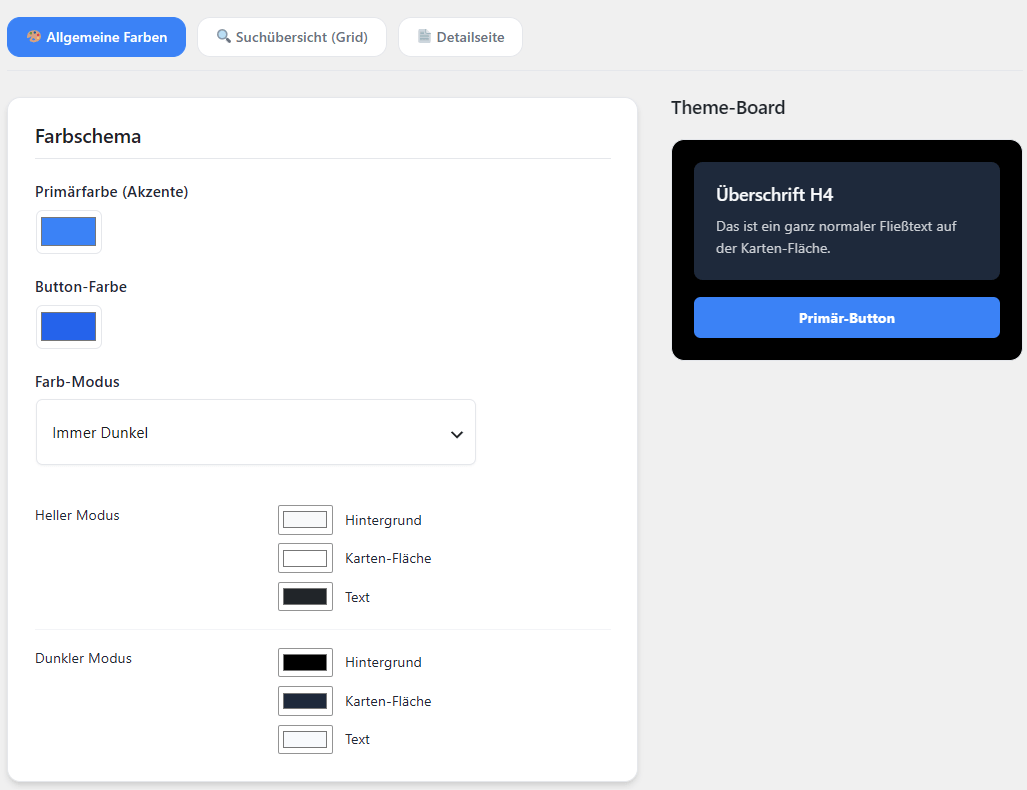
BasisCars ships with a design that stands on its own. You can still match the accent and button colours exactly to your corporate identity, and you can force the layout to light or dark instead of following the visitor's system setting. What that looks like is on the Designs page.
BasisCars → Einstellungen → Darstellung → Allgemein → Farbschema
Custom CSS
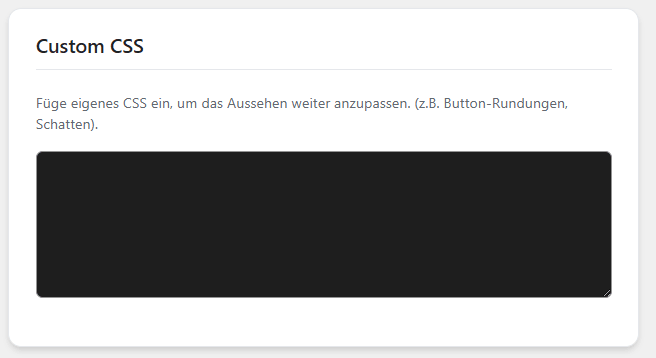
For professionals and agencies: add your own CSS rules. Change button radii, fonts and spacing or put your own shadows on the vehicle cards, without touching the theme.
BasisCars → Einstellungen → Darstellung → Allgemein → Custom CSS
Custom wording & labels
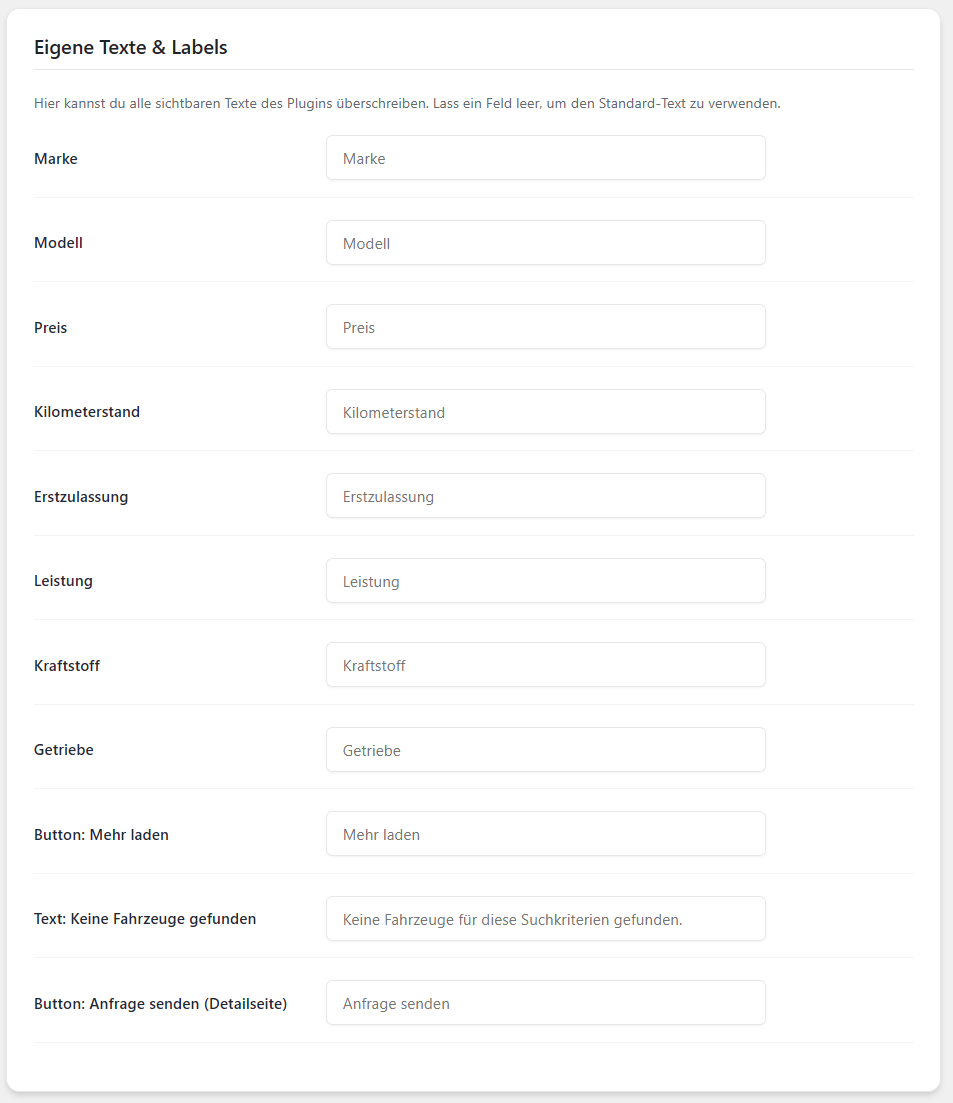
Override every visible text in the plugin from the admin screens. Prefer “Our offer price” over “Price”? Or the full “First registration” instead of the abbreviation? Every piece of wording can be changed.
BasisCars → Einstellungen → Darstellung → Texte & Wording
Troubleshooting: images, synchronisation and API errors
Solutions for the usual hurdles around server limits, API requests and images.
1. Image import stops or stays incomplete
Cause: the PHP memory limit or the web server's maximum execution time is not enough for a large inventory.
define('WP_MEMORY_LIMIT', '256M');
@ini_set('max_execution_time', '300');
2. Auto sync does not run regularly
Cause: the internal WordPress cron only fires when someone visits the site.
Solution: set up a real server cron job in cPanel or Plesk:
*/15 * * * * curl -s https://deinedomain.de/wp-cron.php > /dev/null 2>&1
3. API error 401 (unauthorised)
Solution: log in to the mobile.de dealer area and generate a new API password under interfaces. Make sure you are not using your ordinary customer password.
Developer & agency reference
Adjust the colours, spacing and behaviour of BasisCars through global CSS variables or PHP filters.
Overriding global CSS variables
Add these variables in your theme or in the BasisCars custom CSS box:
:root {
  --bc-primary: #3b82f6;        /* Hauptfarbe: Buttons, Links, Preise */
  --bc-primary-hover: #2563eb;  /* dieselbe Farbe beim Überfahren */
  --bc-surface: #ffffff;        /* Kartenhintergrund */
  --bc-bg: #f8f9fa;             /* Flächen dahinter */
  --bc-text: #212529;           /* Fließtext */
  --bc-text-muted: #6c757d;     /* Nebenangaben, Brotkrumenpfad */
  --bc-border: #e9ecef;         /* Linien und Rahmen */
  --bc-radius: 12px;            /* Abrundung */
}
Every variable in the plugin starts with --bc-. For the usual colours you need no CSS at all: they are colour pickers under Einstellungen → Darstellung → Allgemein, and whatever you set there is emitted as these very variables.
Vehicle enquiries (leads)
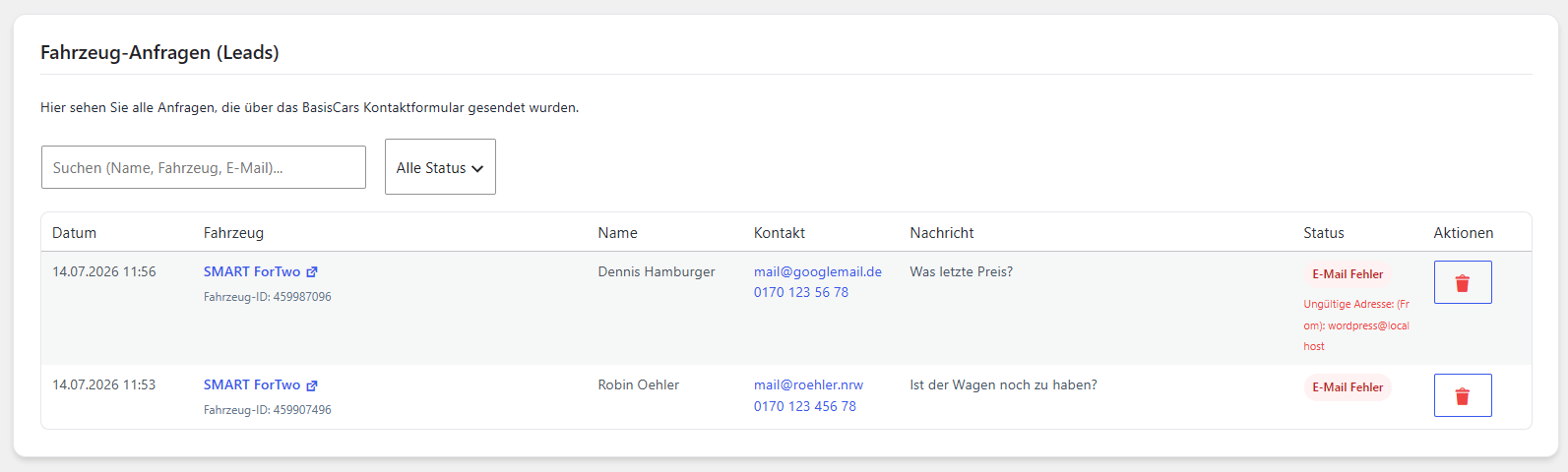
Every enquiry sent through the BasisCars contact form on a vehicle page collects here. No prospective buyer gets lost, even when an email ends up in a spam folder. What the form looks like to visitors is on the Features page.
Below the message field you can offer the same three checkboxes mobile.de uses: financing, appointment on site and trade-in of the current car. Each one separately – switch on only what you really offer. You will find them under Einstellungen → Kontakt → Anfragen, right above the retention period. Whatever the prospect ticks then appears in the enquiry email, in this list and in the GDPR data export. All three are off by default, so an update changes nothing about forms already in use.
The form does not have to sit on the page. Under Einstellungen → Darstellung → Detailseite → Formular you switch it to pop-up: a button stays on the page and the form opens above it – and “Fahrzeug anfragen” up beside the price opens it as well, instead of jumping down. Anyone browsing without JavaScript sees the form in its usual place, so a vehicle can always be enquired about. The switch belongs to the Pro designs and needs the Händler plan or higher.
BasisCars → Einstellungen → Kontakt → Anfragen
Email & SMTP
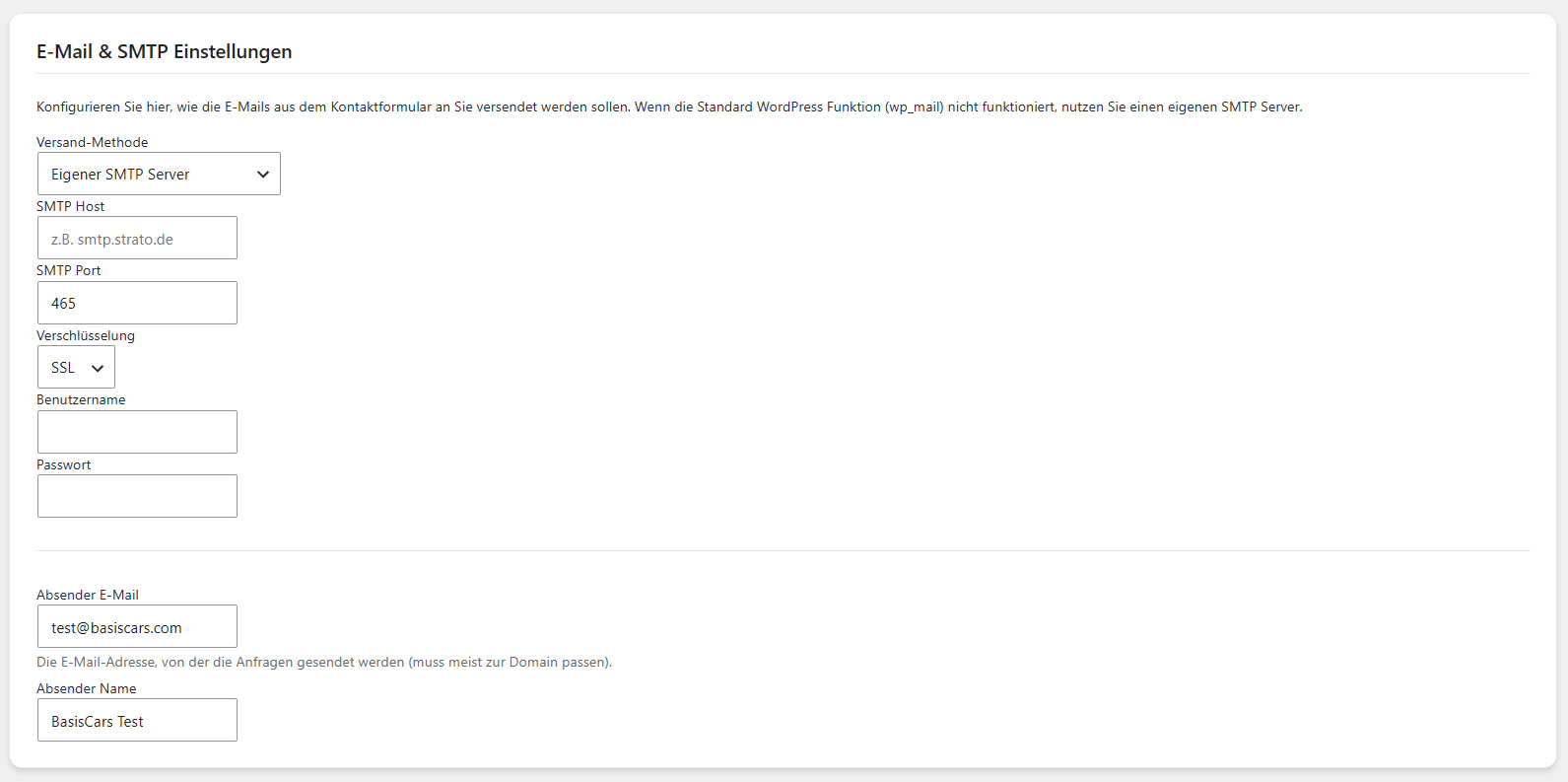
If your host's standard WordPress mail function (PHPMailer) is unreliable or your messages keep landing in spam, enter your own SMTP server here – Microsoft 365, Google Workspace or SendGrid, for example.
BasisCars → Einstellungen → Kontakt → E-Mail & SMTP
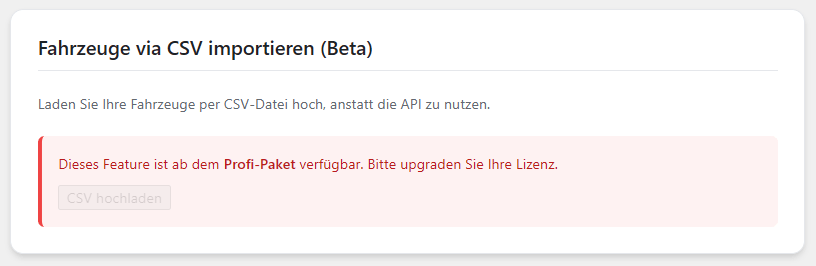
CSV import (beta)
Included in all plans, currently in beta: upload your inventory manually as a CSV table, whether you would rather not use the mobile.de API or you aggregate vehicles from other sources.
BasisCars → Einstellungen → Bestand → CSV-Import
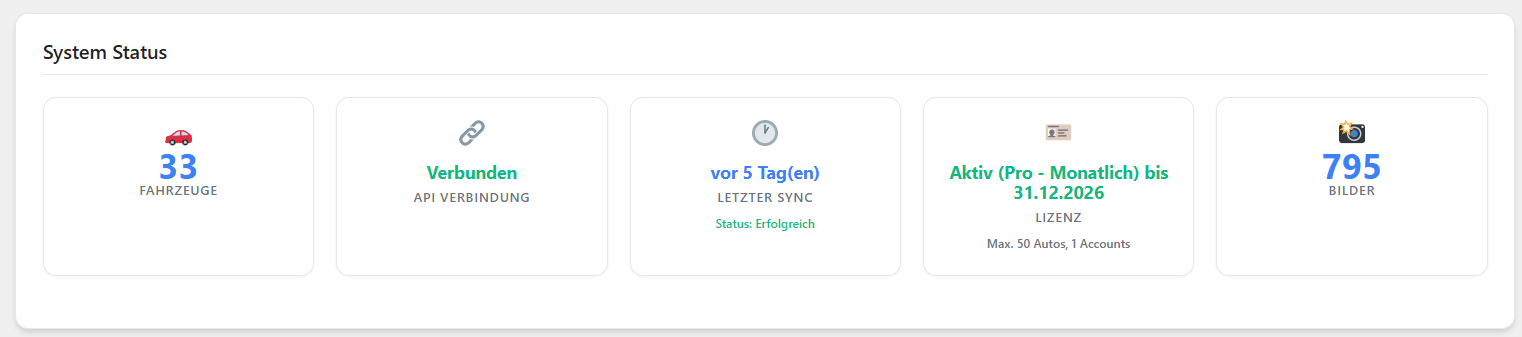
System status dashboard
Your technical control panel. Keep track of how many vehicles are active, whether the API connection is alive, which PHP version runs and how many images are stored.
BasisCars → Einstellungen → Übersicht
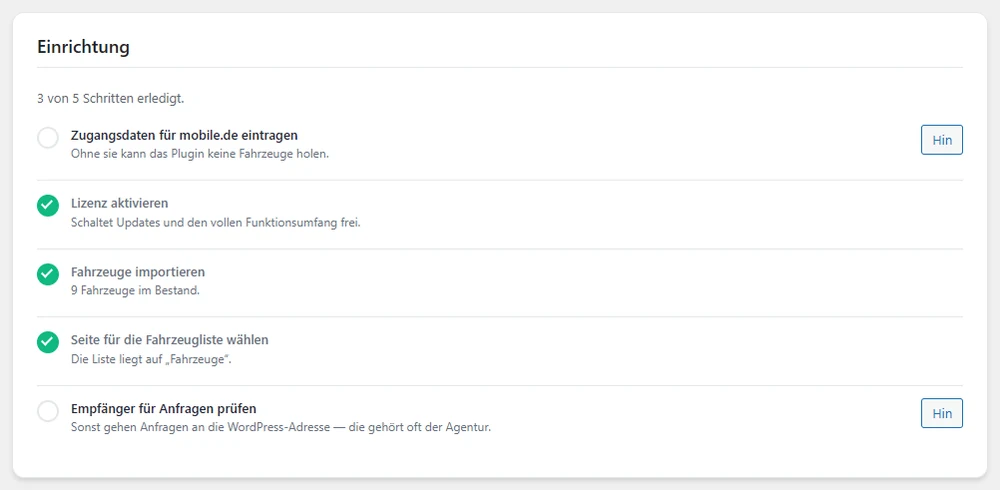
Above it sits the setup checklist. It does not count ticked boxes; it reads the actual state: whether credentials are stored, whether vehicles arrived, which page carries the list and where enquiries go. Every open item has a button that jumps straight there.