Designs
Visual filters & pop-up form
In the pricing table these two points sit with the Händler plan and above. Here you see both, once without and once with.
Marked green is everything every licence can do, including the smallest. Marked blue is what comes with the Händler plan.
Difference 1 of 2
The vehicle search
Without the plan your visitor filters through drop-downs: open the make list, find the entry, close it again. For the price they type two numbers into two fields. That works. It just looks like a form rather than a shop window.
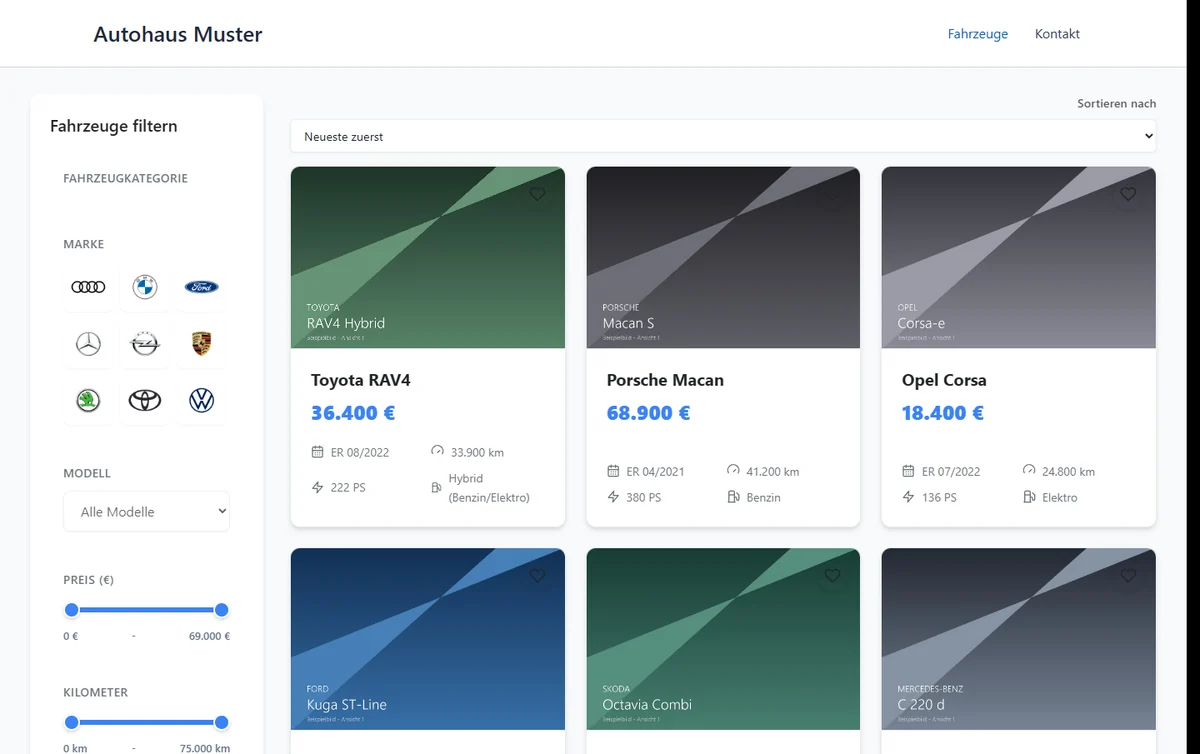
With the plan it becomes a selection you tap: makes as tiles, price and mileage as sliders with the actual limits of your inventory, exterior colours as dots, fuel types with an icon. Anyone searching on a phone gets there far quicker with a thumb.
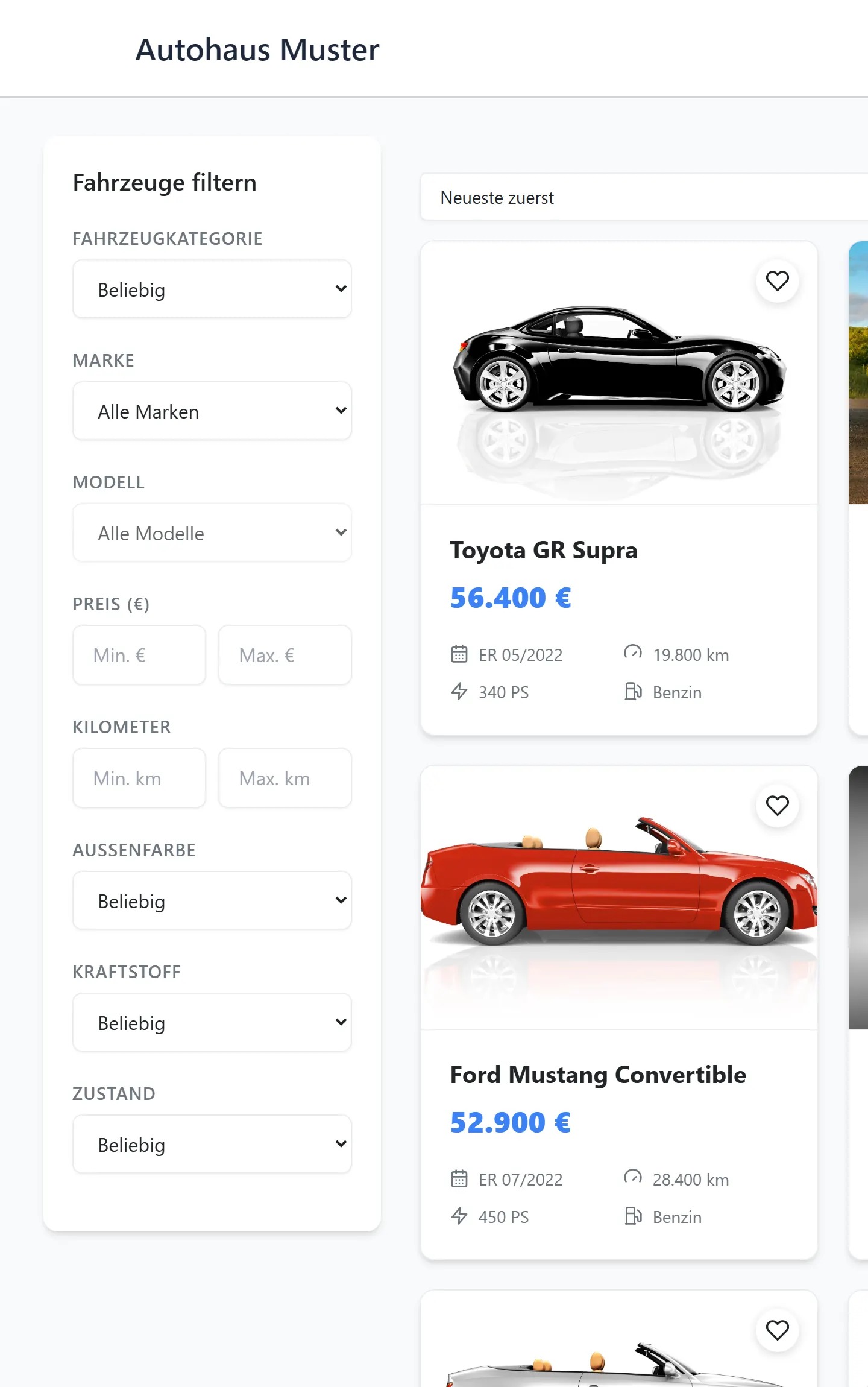
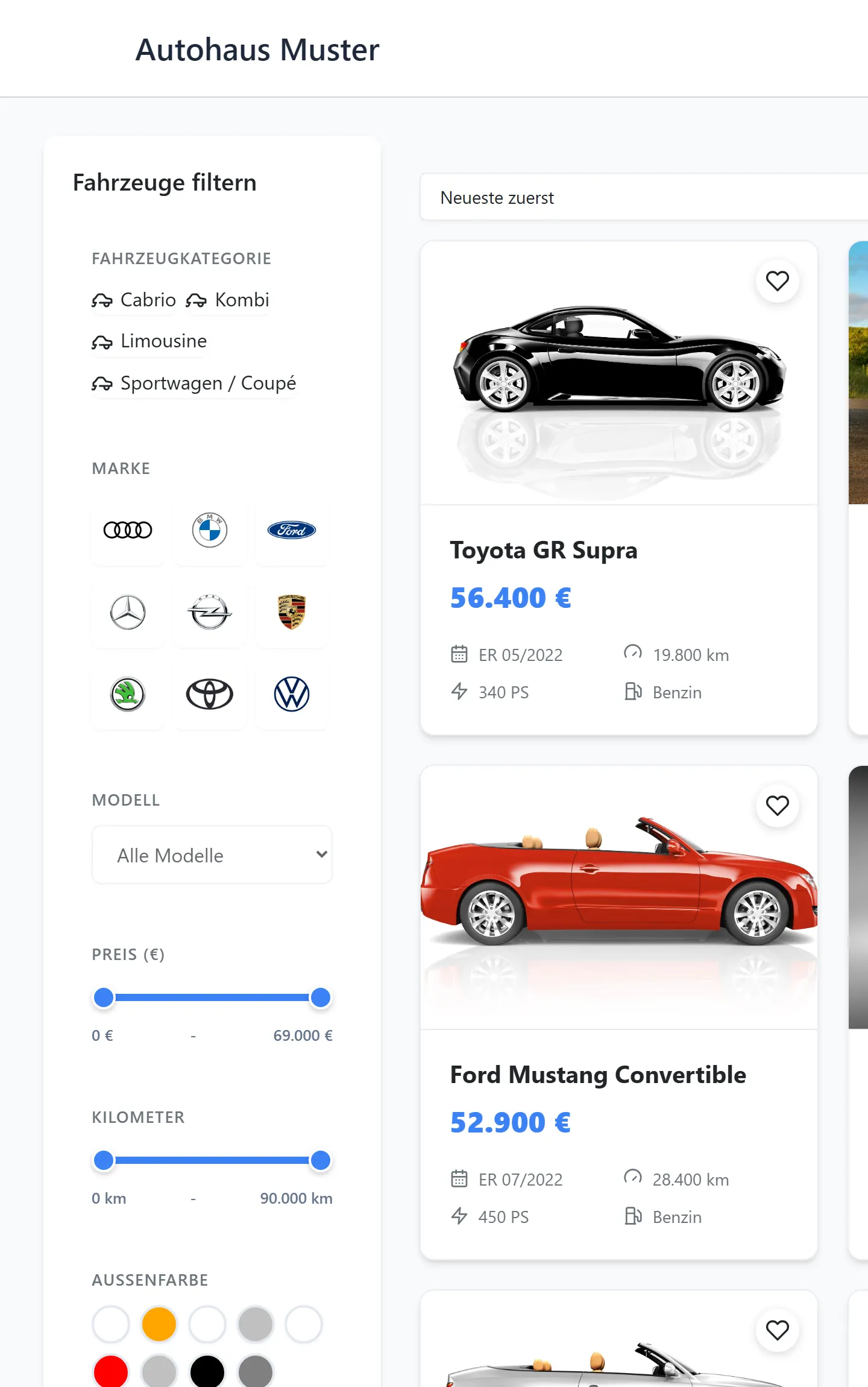
Makes, colours and limits come from your own inventory. If you have no red car, there is no red dot.
You bring the manufacturer logos yourself. BasisCars does not ship them: manufacturer logos are protected trademarks, and whether you use them on your website is your decision as the operator. You upload them as a ZIP under Einstellungen → Darstellung → Suchübersicht (Grid) → Filter-Konfigurator. The mapping comes from the file name, so bmw.png or mercedes-benz-logo.png. Any make without a stored image simply shows its name in the tile, and the search works just the same.
Difference 2 of 2
The enquiry form
Without the plan the form is the last block on the vehicle page, below equipment, gallery and data. Whoever scrolls that far will find it. Whoever does not, does not enquire.
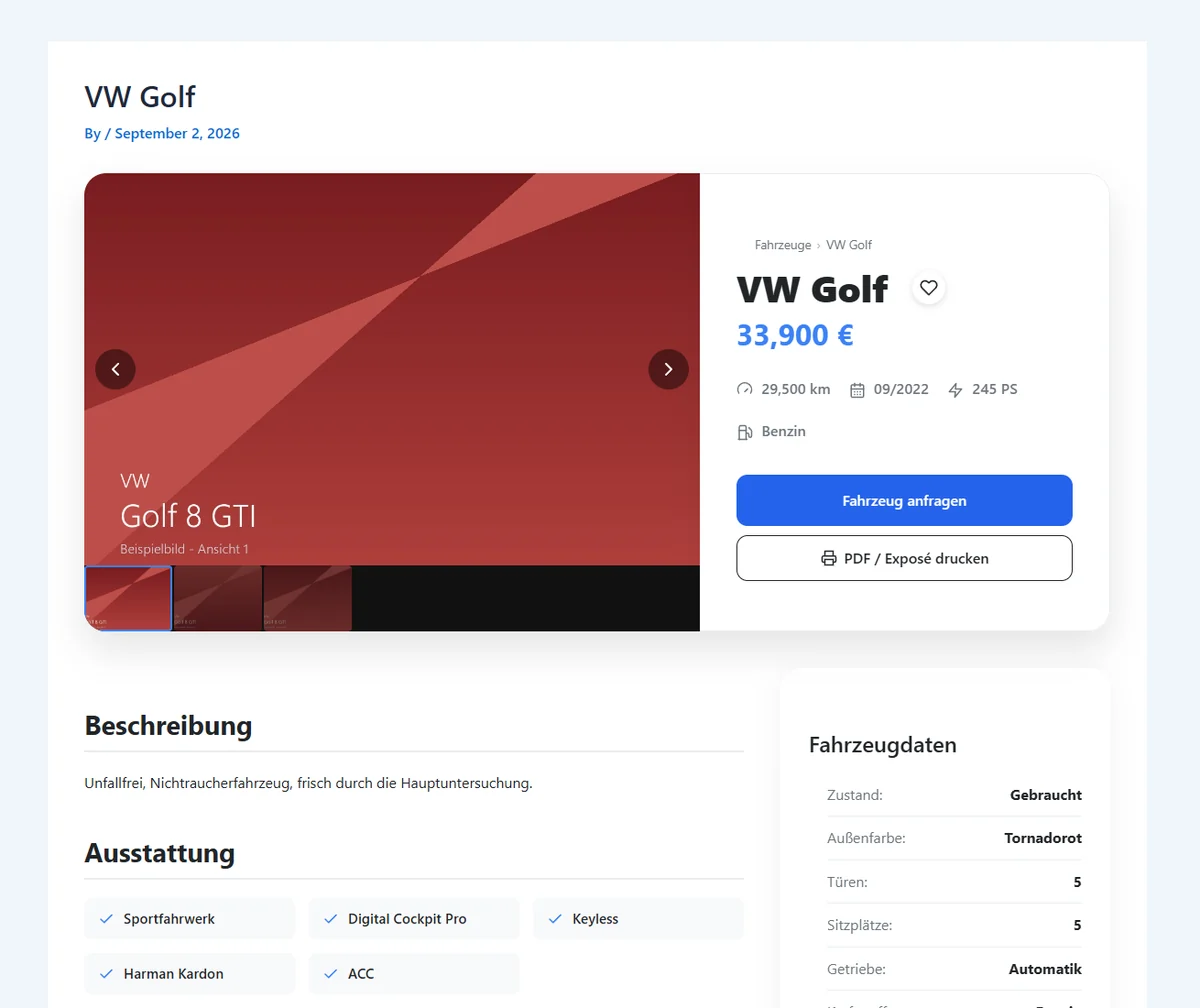
With the plan it opens as a pop-up, from any button, including “Fahrzeug anfragen” at the top next to the price. The car stays visible behind it while the visitor writes.
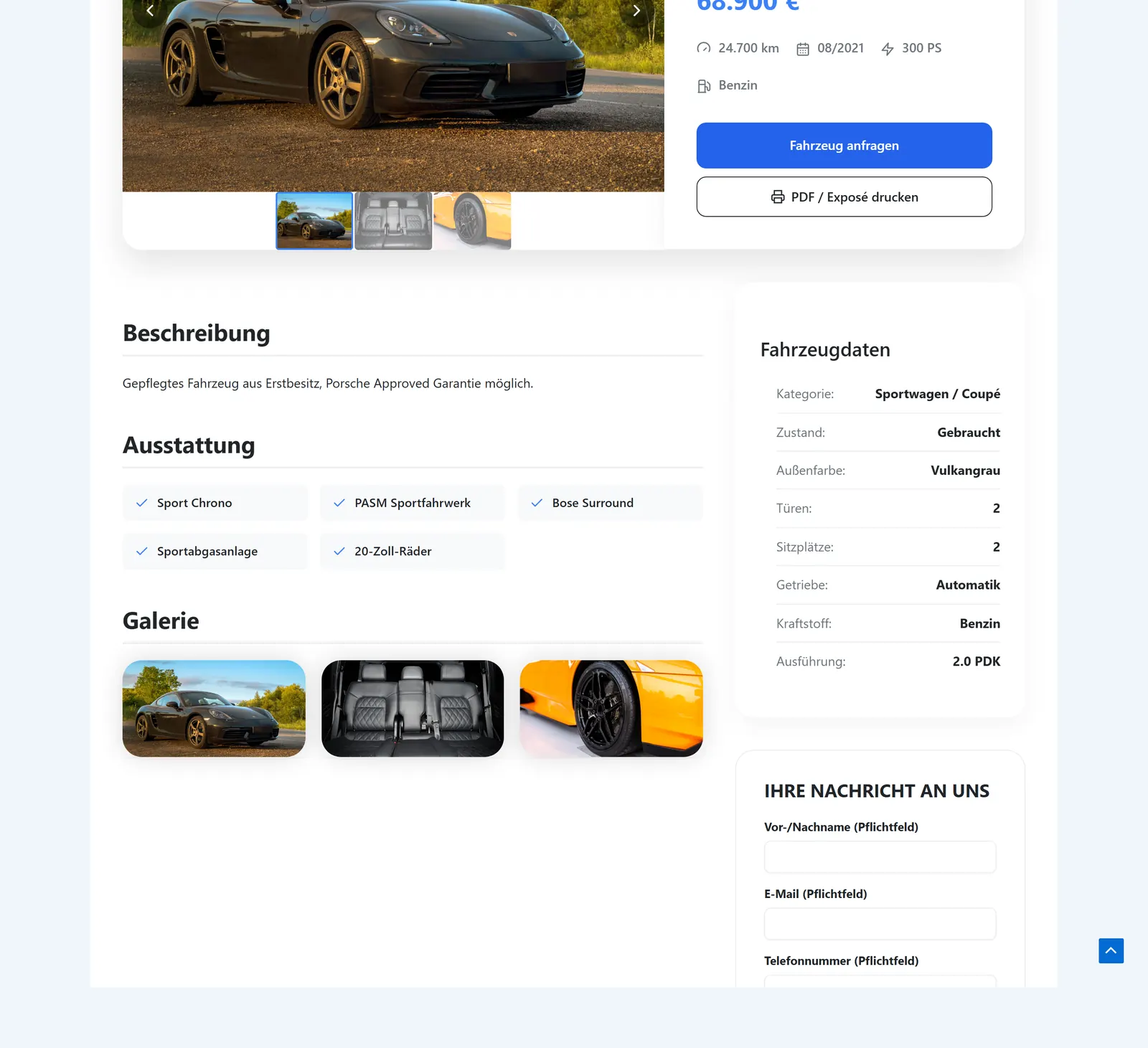
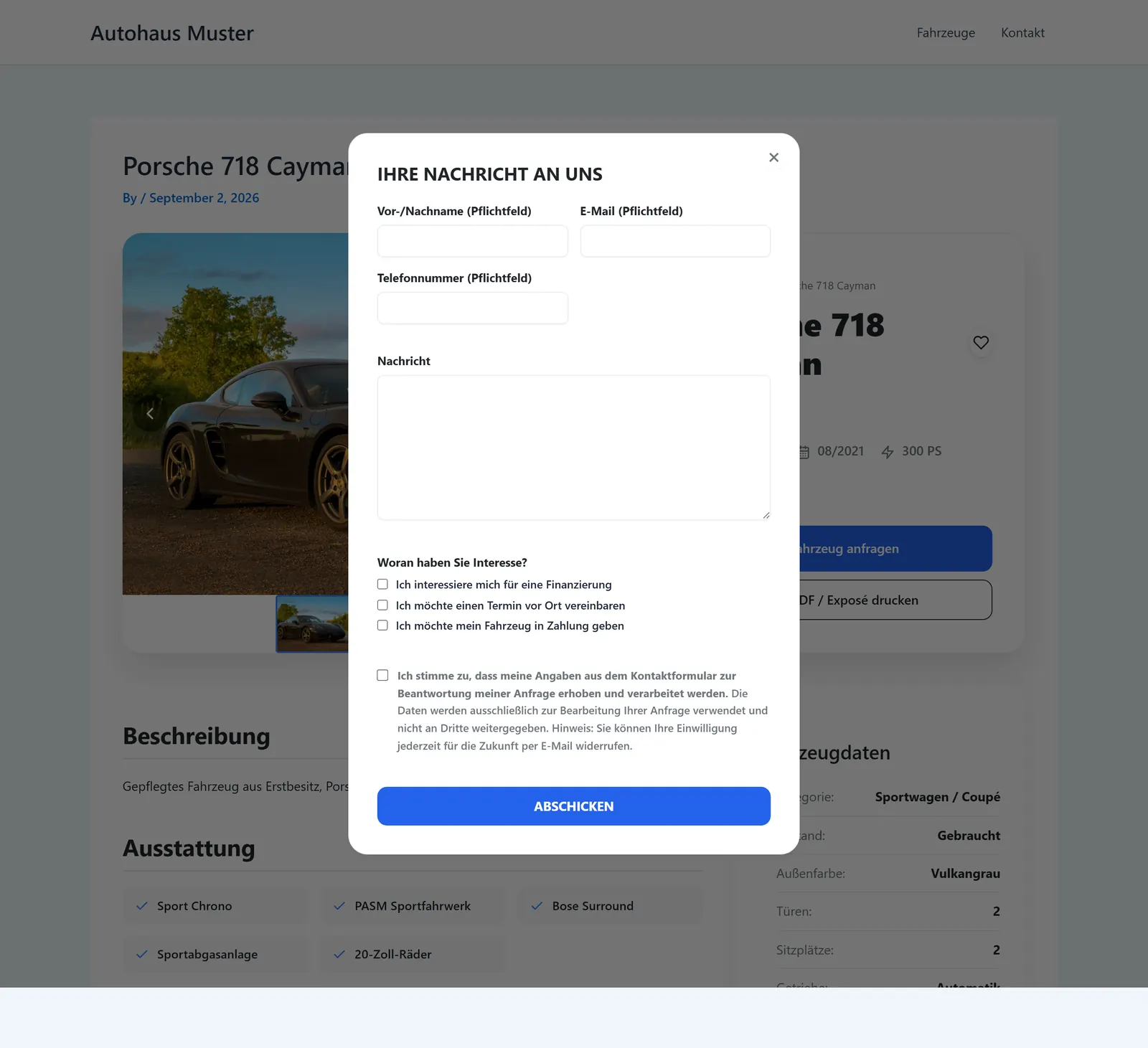
No pop-up opens without JavaScript. Then the form stands where it always stood, and visitors can still send an enquiry.
In every licence
What every plan includes
To avoid any misunderstanding: how your vehicle list looks does not depend on this plan. The following is part of every licence, including the smallest.
-
The vehicle list
Vehicle overview as a tile grid, with sorting and a shortlist
-
The vehicle page
Detail page with image gallery, vehicle data, equipment and description
-
Arrangement
Six arrangements for the title area, order of the blocks freely chosen
-
Colours and shapes
All colours, corners and spacing adjustable, light and dark mode separately
-
Data sheet and form
Printable PDF data sheet, enquiry form, EnVKV and WLTP figures
-
Your own CSS
Your own CSS for everything else; every variable starts with --bc-
In use
How it looks to your visitors
The images come from an installation with the Astra theme, without a line of custom CSS. The vehicle data is invented, the layout is real. Whether you need a special dealer theme is covered in the car dealer website guide.
Which plan includes this
Both belong to the Händler plan and upwards and are included in every larger plan. You can switch them on and off at any time in the admin area under Einstellungen → Darstellung, without touching any of your other settings.